


The short answer
Screen printing pushes ink through a fine mesh screen, one colour at a time, to give strong, opaque colour. We use it on kraft brown, white and black die-cut boxes, it can print white ink, and it's the method we use for Pantone colour matching. Screen printing starts from 250 units with a standard lead time of 10–15 business days from artwork approval. Lead times are longer in peak periods, so check our current lead times. It's best for logos and designs with a small number of solid colours.
How it works
A screen is made for each colour in your design. The screen is a fine mesh with your design open and everything else blocked. Ink is pushed through the open areas onto the box, then the next colour is printed with its own screen.
Because each colour needs its own screen, screen printing suits designs with one or a few solid colours. The set-up is why it starts from 250 units rather than 25.
Why choose screen printing
- White and light colours on dark board. Screen inks are opaque, so white stays white on black kraft.
- Bold, solid colour. Logos and text print crisp and strong.
- Colour matching. We print to your Pantone reference with screen printing. The result is a close target on your chosen board, not an identical match on every material, so use a physical reference for colour-critical jobs.
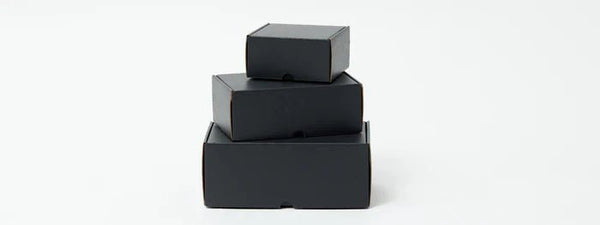
- A premium look on black. A white or coloured logo on a black box is a classic, high-end look.
Screen printing at PackQueen
| Details | |
|---|---|
| Used on | Kraft brown, white and black die-cut boxes (black is always screen printed), and wherever white ink or Pantone matching is needed |
| Minimum order | From 250 units |
| Lead time | 10–15 business days from artwork approval. Longer in peak periods |
| Colours | Solid colours, including white. Pantone matching to a target on your chosen board |
| Proof | Digital proof emailed, typically within 1 business day of receiving your artwork. It checks layout and colours specified, not the final physical colour |
Designing for screen printing
Keep colours to a few
Each colour needs its own screen, so one- and two-colour designs are the simplest and most cost-effective. Tell us your colours as Pantone references if you have them.
Use solid shapes, not photos
Screen printing is made for solid areas of colour. Photos, soft gradients and very fine detail are better suited to digital or offset printing.
Mind the line weight
Very thin lines and tiny text can fill in or break up. Keep lines and text a sensible size, and send a vector file of your logo.
What it means for you
The same question, answered for where your business is today.
Choose your stage at the top of the page to open the advice for you.
Start-up · under 100 units
If you love the look of a white logo on a black box, screen printing is how it's done. It starts from 250 units, so it suits a product you're confident will sell.
Until then, a plain black box with a custom sticker gives a similar look in small quantities.
Growing · 100 to 2,499 units
Screen printing is a strong choice once you're ordering 250 or more of the same box in kraft brown, white or black, or when your brand colour needs to match exactly.
Try this: a one-colour logo is often the most cost-effective and still looks premium.
Enterprise · 2,500 units and more
Record your Pantone references, board and agreed tolerances in your packaging specification, and keep an approved printed reference.
A digital proof can't show final physical colour. Compare against a printed reference for colour-critical brands.
Common mistakes
- 1Sending a photo-style design. Screen printing suits solid colours. Photos and gradients work better with digital or offset printing.
- 2Too many colours. Each colour needs a screen. Simplify where you can.
- 3No Pantone reference. If your colour matters, give us the Pantone number rather than a screen colour, and agree what's acceptable on your board.
- 4Hairline detail. Very fine lines can fill in. Thicken them slightly for print.
Screen printing questions
What's the minimum order for screen printed boxes?
How long does screen printing take?
Can you print white ink?
Can you match my Pantone colour?
Is screen printing good for photos?
Keep reading
Screen printed packaging
Thinking about a white logo on black?
Send us your logo and quantity. Our Melbourne team will confirm the print method and send a digital proof, typically within 1 business day of receiving your artwork.